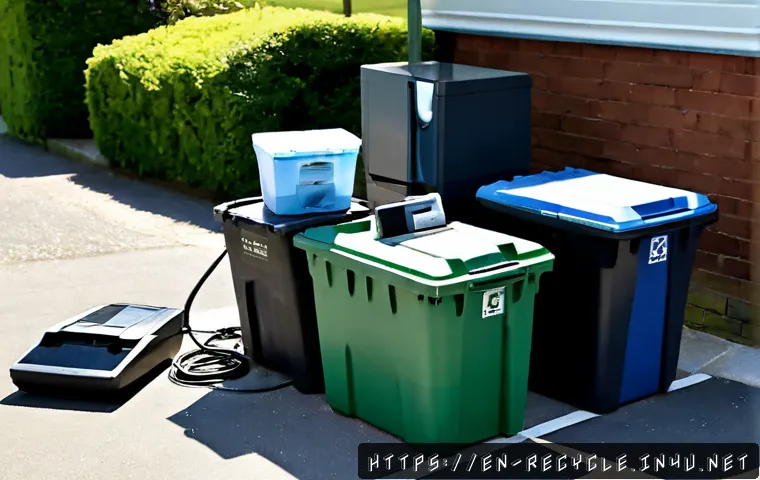
Sort old electronics by working condition, battery risk, and data exposure before choosing a disposal method. Keep usable devices in circulation when resale, donation, refurbishment, or trade-in is realistic; recycle only through a program that confirms acceptance.
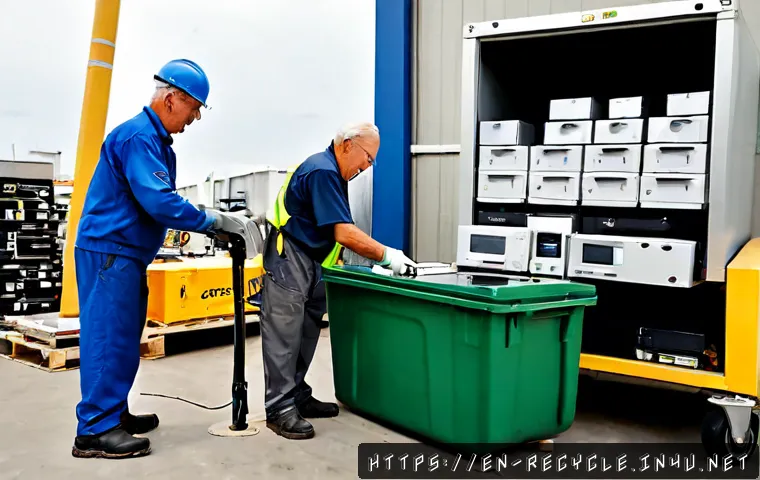
The right option depends on convenience, quoted fees, pickup needs, and how much personal or business data the device may hold. Retail take-back, municipal drop-off, certified e-waste recycling, and trade-in programs can serve different needs.
Do not assume electronics belong in curbside recycling bins. Check the rules for your city, county, recycler, retailer, and specific item before you transport it.
For phones, laptops, tablets, smart devices, and storage media, data removal should come before handoff. Batteries and larger equipment may also need separate handling.
At a Glance
- Keep working devices usable: consider resale, repair, donation, refurbishment, or a trade-in before recycling.
- Secure data first: back up files, remove accounts and cards, then use a factory reset where appropriate.
- Confirm local acceptance: devices, cables, batteries, and large equipment may require different recycling or pickup services.
| Disposal Route | Best For | Data and Cost Considerations | What to Confirm First |
|---|---|---|---|
| Retailer or manufacturer take-back | Common consumer electronics and accessories | Convenient, but acceptance and any fees vary | Eligible device categories, batteries, accessories, and drop-off terms |
| Municipal recycling or collection event | Household cleanouts and local disposal needs | May have limits, dates, or separate handling rules | Local item list, event requirements, and accepted quantities |
| Certified electronics recycler | Data-bearing devices, office equipment, and larger loads | May offer data destruction, tracking, pickup, or documentation | Data-security process, quoted charges, and proof of recycling options |
| Trade-in, resale, or donation | Working devices with continued use potential | May recover value, but prepare the device and check eligibility | Condition requirements, account removal, and current trade-in terms |
| Paid pickup service | Bulky items, multiple devices, or limited transport options | Useful for convenience; pickup charges can vary | Accepted items, quoted service fee, and handling of data-bearing equipment |
The Quick Answer: Sort Devices by Condition, Battery Risk, and Data Exposure
Start with a simple question: Can this device still be used safely and realistically? A working phone, tablet, computer, monitor, or smart device may be more suitable for trade-in, resale, donation, or refurbishment than immediate recycling. This can extend the useful life of the item and may reduce the volume of e-waste you need to manage.
Next, separate items that need special attention. Rechargeable batteries, damaged batteries, devices that store data, and oversized equipment should not be treated like a box of old cables. Local programs may have different rules for each category, even when they are handled by the same recycler.
Keep usable electronics out of the waste stream when resale, repair, donation, or trade-in is realistic
If a device powers on, works normally, or only needs a minor repair, compare its reuse options before booking electronics disposal. A trade-in program may be practical for an eligible device you want to replace. Resale may suit a device with remaining market value. Donation or refurbishment can be a better fit when your goal is to keep a functional item in use rather than recover value.
Before handing over a working device, remove accounts and personal information. A device that looks ready for its next owner may still contain saved logins, photos, business files, or connected smart-home settings.
Separate batteries, data-bearing devices, and oversized equipment before choosing a disposal route
Make separate groups for batteries, phones and computers, storage media, cables and chargers, and large equipment such as televisions, printers, and appliances. Lithium-ion batteries can create fire risks if they are loose, crushed, damaged, or placed in an unsuitable waste stream.
Do not assume a drop-off point that accepts a laptop will also accept its damaged battery, printer, or television. Confirm the exact item category before you load your car or arrange a recycling pickup.
Compare Your Disposal Options Before You Drop Anything Off
The most convenient option is not always the best match for your device. Compare accepted items, data protection, transport needs, service fees, and documentation before choosing a route. This is especially important when you have more than one device or any equipment used for work.
Retail take-back and manufacturer programs
Retail take-back and manufacturer programs can be a straightforward choice for common consumer electronics. They may be useful when you are already replacing a device or have a small number of items to handle. However, accepted categories can differ, and not every location or program takes cables, batteries, accessories, printers, or large screens.
Check the program page for device eligibility, condition rules, possible trade-in options, and whether drop-off is available at your local location. If data protection is important, find out what preparation is expected from you before the device is accepted.
Municipal collection events and local drop-off centers
City or county recycling programs may offer electronics collection events or permanent drop-off centers. These services can help households manage unwanted equipment without placing it in a standard curbside bin. Their rules can vary by location, device type, household volume, and collection schedule.
Look for clear instructions on televisions, batteries, printers, cables, and appliances. If you have a damaged battery or an item that appears unsafe to transport, follow local guidance rather than treating it as routine recycling.
Certified recycling providers, paid pickup, and business asset-disposition services
A certified electronics recycler may be a stronger fit for sensitive devices, larger quantities, or a small-office cleanout. Depending on the provider, services can include data destruction, asset tracking, business pickup, and recycling documentation. These options may be worth comparing when workplace equipment contains customer information, internal files, or stored credentials.
Ask what happens to devices after pickup, how data-bearing equipment is handled, and whether documentation is available. Get quoted costs before scheduling. Pickup service, professional data destruction, and specialized handling may involve charges that differ by item and location.
Trade-in, resale, and donation: when recovery value may outweigh recycling convenience
A working device may have trade-in, resale, donation, or refurbishment potential. Trade-in can be convenient when you are upgrading and the device meets the provider’s condition requirements. Resale may require more time, while donation may require you to confirm that the organization accepts the device and can use it.
None of these routes replaces data preparation. Even when a device is going to a trusted recipient, sign out of accounts, remove cards, and follow the device maker’s reset instructions before transfer.
Prepare Electronics Safely: Data Removal, Batteries, and Accessories
Preparation is the part that protects you from avoidable problems. Set aside enough time to back up what you need, remove what you do not want to share, and verify that the recycling or trade-in service accepts the item in its current condition.
Back up files, sign out of accounts, and remove SIM or memory cards where applicable
For phones, tablets, laptops, smart home devices, and storage media, begin with a backup of files you want to keep. Then sign out of accounts and remove any SIM cards or removable memory cards where applicable. Check for saved browser sessions, connected payment services, cloud accounts, and device-management profiles.
For a home office or small business, create an inventory before devices leave the premises. Record the device type and any internal tracking details your organization uses. This can make an asset-disposition service or recycler’s documentation easier to match with your records.
Use factory reset as one step—not the only consideration—for sensitive devices
A factory reset is useful, but it should not be your only consideration for sensitive equipment. The exact level of data removal can vary by device, storage type, settings, and the condition of the hardware. For devices that held confidential personal, customer, or workplace information, consider a recycler or data-destruction option that explains its process clearly.
Confirm the reset completed before handing over the device. If the device cannot be powered on or reset normally, tell the recycler that it may contain data and ask about available handling options.
Handle swollen, damaged, or loose batteries with extra caution and follow local guidance

Do not place loose or damaged lithium-ion batteries in household trash, curbside recycling, or a mixed box of electronics. Avoid crushing or forcing a swollen battery into a container. Check local hazardous-waste guidance, a qualified battery collection program, or the recycler’s instructions before transport.
Keep batteries separate from devices when the program requires it. Chargers, cables, and adapters should also be sorted according to the receiving program’s acceptance list.
Avoid the Most Common Disposal Mistakes
Putting electronics or rechargeable batteries in standard household bins
Electronics do not automatically belong in curbside recycling bins, and rechargeable batteries need particular care. Local programs may not accept devices, cables, accessories, or batteries through routine collection. Using the wrong waste stream can create safety and processing problems.
Assuming every recycler accepts every device for free
Do not rely on a general claim that a recycler “takes electronics.” Acceptance, fees, pickup availability, and item limits can vary. Large appliances, televisions, printers, batteries, and damaged devices may have separate requirements. Confirm the item list and any quoted charges before making the trip.
Leaving personal, customer, or workplace information on old equipment
Old equipment can retain more information than expected. Phones, tablets, computers, smart home devices, external drives, and other storage media may still hold files or account access after normal use. Treat data removal as a required step, not an optional finishing touch.
Disposal Tips for Different Situations
One old phone, laptop, or tablet
First, decide whether it still works well enough for trade-in, resale, donation, or refurbishment. Back up your files, sign out of accounts, remove any SIM or memory card, and complete the appropriate reset process. If recycling is the final choice, compare local e-waste recycling services and ask whether they accept that exact device.
TVs, printers, cables, and small household appliances
These items often need a separate plan. A television or printer may not be accepted where small consumer devices are accepted. Cables and chargers may be accepted by some programs but not others. Review the item list instead of assuming one electronics disposal option covers the entire pile.
Home-office cleanouts and small-business device replacement
For multiple computers, phones, storage devices, or network-connected equipment, prioritize inventory, data security, and documentation. A certified recycler or business asset-disposition provider may offer pickup, asset tracking, data-destruction services, or recycling documentation. Compare the scope of service and the quoted fees against the time and transport required for self-delivery.
Selection Criteria and Comparison Summary
Choose a service based on device volume, data sensitivity, pickup need, accepted items, and any quoted fees. A trade-in or resale route can make sense for a working device. A local drop-off program may be enough for a small, low-risk household item. For a larger office replacement project or equipment with sensitive data, professional recycling pickup or documented data-destruction options may be worth the added cost.
Before you commit, check these points:
- Does the service accept your exact device, battery, accessory, or appliance?
- Is the device working well enough for trade-in, resale, donation, or refurbishment?
- Have you backed up files, signed out of accounts, and removed cards or media?
- Do you need pickup because of volume, size, or transportation limits?
- Do you need data-destruction details, asset tracking, or recycling documentation?
- Have you reviewed any stated recycling fee, pickup charge, or trade-in condition?
Before choosing a provider, review its official acceptance list, data-handling details, pickup terms, and current charges.
Final Thoughts
Safe electronics disposal begins before you leave home. Sort devices by usefulness, battery condition, size, and data risk, then match each group to an appropriate service. Checking local acceptance rules can prevent wasted trips and unsafe disposal. When data or device volume is a concern, compare professional recycling and data-destruction options carefully.
Useful Things to Know
Working devices may be more valuable in reuse than recycling. Trade-in, resale, donation, and refurbishment are worth considering before disposal.
One service may not take everything. Batteries, televisions, printers, cables, and appliances can each have separate requirements.
Data safety starts with preparation. Backups, account removal, card removal, and reset steps should happen before handoff.
Important Notes
Acceptance rules, recycling fees, pickup charges, trade-in eligibility, and local disposal requirements can change by provider and location. A factory reset may not address every data-recovery concern in every situation. Confirm current instructions with your local government, waste provider, retailer, recycler, or manufacturer program before transporting electronics or batteries.
Frequently Asked Questions
Q1. Is it free to recycle old electronics?
A1. It depends on the device, provider, and location. Some programs may accept certain items without a charge, while others may have fees for particular categories, pickup, or specialized handling. Confirm the current terms before drop-off.
Q2. Should I erase my phone or laptop before taking it to an electronics recycler?
A2. Yes. Back up needed files, sign out of accounts, remove SIM or memory cards where applicable, and use the appropriate factory reset process. For highly sensitive personal or business data, ask the recycler about data-destruction services and documentation.
Q3. Is a trade-in better than recycling for an old but working device?
A3. It can be, if the device is eligible and still has useful life. Compare trade-in conditions with resale, donation, and refurbishment options. If the device is not eligible or no longer practical to use, use an electronics recycling service that confirms acceptance.